Warfare Tycoon Controls
PC keybinds and mobile tips for infantry and vehicles.
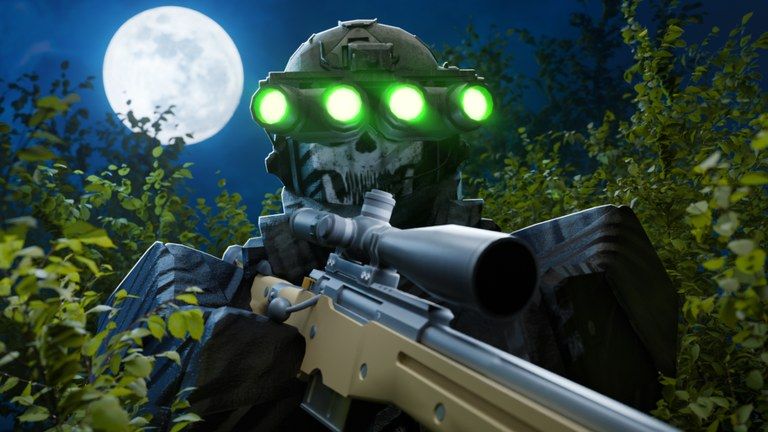
Missed inputs lose more gunfights than bad guns. This Warfare Tycoon controls reference gathers the common PC bindings players rely on and adds mobile notes so you can translate them to Roblox touch layouts. Keep it beside the weapons loadout and vehicles guides while you learn.
Exact binds can shift slightly after UI patches — if something feels wrong, check updates and the in-game settings menu.
Infantry movement (PC)
| Action | Default |
|---|---|
| Move | W A S D |
| Sprint | Shift |
| Crouch | C |
| Slide | Shift + C |
| Lean | Q / E |
Sliding into rooms with a shotgun or Vector is a Deathmatch staple. Leaning reduces exposure on Hardpoint doorframes explained in combat modes.
Infantry combat (PC)
| Action | Default |
|---|---|
| Fire | Left mouse |
| Aim / ADS | Right mouse |
| Reload | R |
| Change optic zoom | T (when available) |
| Fire mode | V |
Level attachments so zoom and fire modes match your template. Mid-range M4 players often live in full-auto with a clean 1x–2x optic; snipers use higher zoom sparingly.
Ground vehicles (PC)
| Action | Typical bind |
|---|---|
| Drive | W A S D |
| Brake | Shift |
| Fire weapon | Left mouse |
| Switch weapons | Number keys |
| Zoom | Right mouse |
| Manual reload | R |
| Smoke | F (when equipped) |
| Thermal | T (when equipped) |
Challenger-style toolkits make smoke and thermals relevant. Practice them in empty areas before Hardpoint pushes.
Air vehicles
Helicopters and jets use throttle and mouse aim with weapon groups similar to ground seats. Focus on:
- Never hovering over the same tower.
- Separating rocket passes from gun passes.
- Exiting to infantry controls quickly after a crash landing.
Prestige air machines (Mi-24, A-10) punish lazy flight paths — see the prestige guide.
Mobile and console notes
Roblox touch UI exposes jump, shoot, and context buttons dynamically. Recommendations:
- Enable shift-lock style camera options if available on your device.
- Increase fire button size for RPG timing.
- Use auto-collect gamepass if short sessions make pad clicking miserable.
- Prefer SMG/rifle templates until vehicle sticks feel comfortable.
Console players should map launchers to easy bumpers; missing RPG binds is the fastest way to lose to tanks.
Training drills
- Slide + shoot: ten minutes in Deathmatch.
- Lean peeks: Hardpoint doorways only.
- Smoke deploy: tank range practice.
- Hotkey RPG: switch from rifle to launcher without opening menus.
- Bail drill: exit vehicle and pull Vector instantly.
Settings worth checking
- Graphics lowered until aiming stays smooth on busy Hardpoints.
- Sensitivity high enough for RPG leads but stable for mid-range M4.
- Confirm language and UI scale so the Twitter codes icon remains tappable — redeem help on codes.
Related pages
- Tools hub
- Getting Started
- Weapon tier list
- Vehicle tier list
- Players for co-op callouts
Learn the binds once and every other guide on this wiki becomes easier to execute.
Frequently Asked Questions
Quick answers for Warfare Tycoon players.
How do I slide?
On PC press Shift + C while moving. On mobile use the crouch control while sprinting if your jump pack supports it.
What key drops tank smoke?
F on many tank setups when smoke is equipped. Confirm in the vehicle tooltip.
How do I change fire mode?
Press V on PC when the weapon supports multiple modes.
Where is the codes button?
The Twitter / bird icon on the left side of the HUD — not a keyboard bind.